Your digital games shelf
Organize physical and digital games into collections by platform or genre. Search, covers and game details keep your library in order.
LEVEL UP YOUR GAME COLLECTION
Your backlog, your favorites, your next achievements. Give your game collection a home with Gamekeep.
Buy once. Everything included.
No subscription. No in-app purchases. No ads.
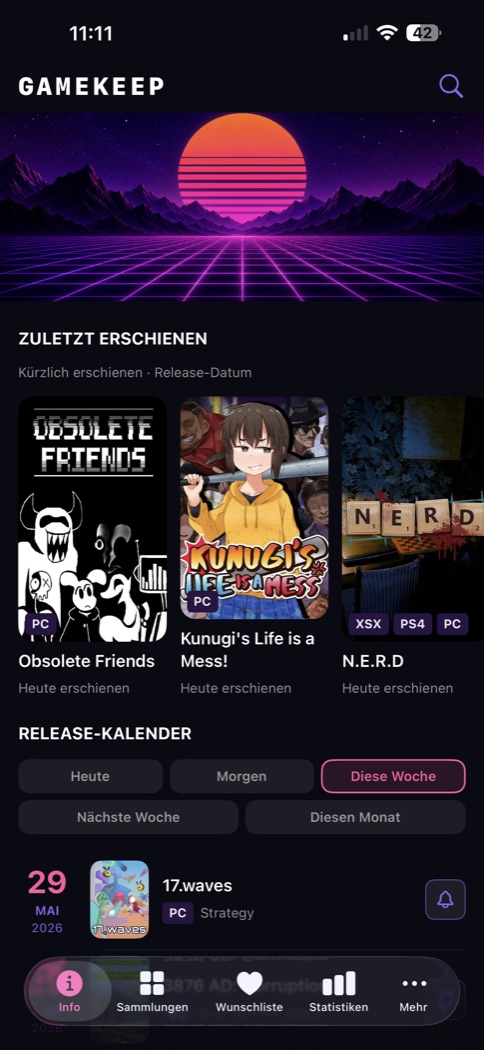
Inside the iOS app · German interface
MORE PLAYING. LESS SEARCHING.
From your first entry to your final achievement: Gamekeep grows with your collection.
Organize physical and digital games into collections by platform or genre. Search, covers and game details keep your library in order.
Save upcoming games to your wishlist. The release calendar shows what is arriving today, tomorrow and next.
Track status, ratings, notes and progress, from unplayed to completed. Statistics reveal the platforms, numbers and highlights of your collection.
Import games from Steam or CSV, including PSN exports. Add physical games with the camera barcode scanner, or find titles through search.
Enrich entries with game data, covers, platforms and genres from IGDB. ScanDex helps match barcodes. Add your own images and attachments for a personal touch.
Compare shop offers and check market values with PriceCharting support. Record your own purchase prices. Prices on external shops may differ from the values shown.
Explore giveaways and offers from Epic, Steam, GOG, Prime Gaming, PS Plus, Game Pass, Humble Choice and more. Filter by provider and platform, open redemption links and enable local alerts. Subscription content may require a membership.
Optional iCloud sync on iOS and Google Drive sync on Android store your library in your own cloud account. Without sync enabled, your data stays local.
Share and edit collections live on iOS via iCloud, with owner, editor and reader roles. On Android, share collections as CSV files.
iOS offers Home Screen and Lock Screen widgets. On Android, use widgets for your library, recently played games and quick access.
Show, hide and reorder optional tabs. Set the app language independently of your system and personalize your profile with a nickname and avatar.
No ads, trackers or analytics SDK in the app. External data sources are queried for the features you use. Find the details in the privacy policy.
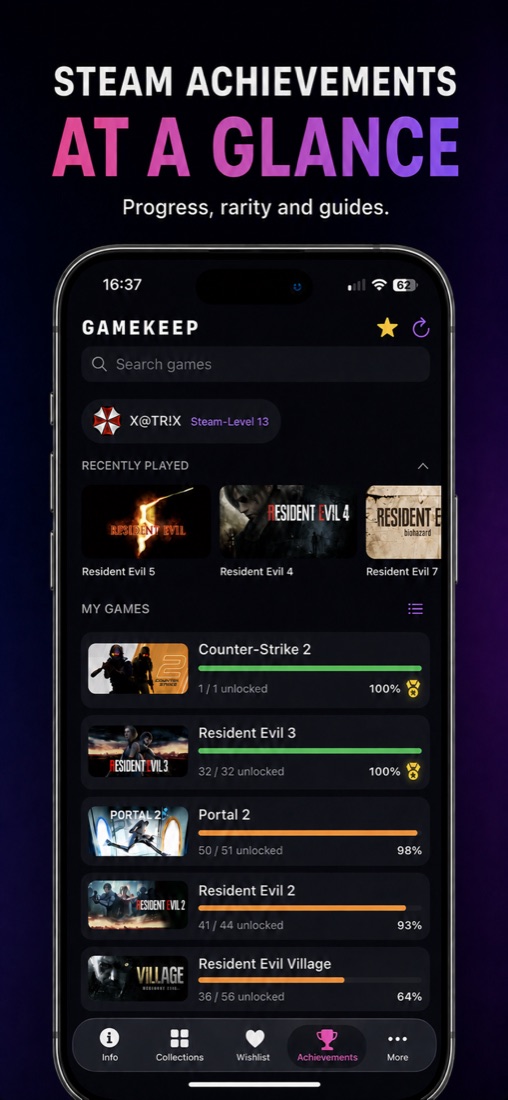
STEAM ACHIEVEMENTS
Go beyond collecting. Keep your Steam progress and your next milestone in sight.
GAMEKEEP IN ACTION
Seven views of the iOS app. Select an image to enlarge it.
YOUR PLATFORM. YOUR GAMEKEEP.
The same idea, with the strengths of your platform. Cloud sync works within each ecosystem.
| Feature | iOS / iPadOS | Android |
|---|---|---|
| Library, wishlist, prices & achievements | Included | Included |
| Cloud sync | Optional via iCloud | Optional via Google Drive |
| Live collection sharing | Via iCloud | CSV export instead of live sharing |
| Widgets | Home & Lock Screen | Home screen & quick access |
| Requirements | iOS / iPadOS 17+ | Android 8+ |
| Availability | On the App Store | Coming soon |
No. Gamekeep is a one-time purchase, with no in-app purchases or trial period. Check the relevant store for the current price. Subscriptions to external game providers are separate.
iOS uses iCloud; Android optionally uses Google Drive. These do not provide shared cross-platform sync. CSV export and import help you move collections.
Locally on your device, optionally also in your personal iCloud on iOS or your Google Drive app-data folder on Android. Pixel Project cannot access these cloud files.
Email gamekeep@pixel-project.de or use Settings → Feedback. For technical issues, send a debug log by email from the app.
GAMEKEEP
Turn your collection into a place you love coming back to.
No subscription. No in-app purchases. No ads.